
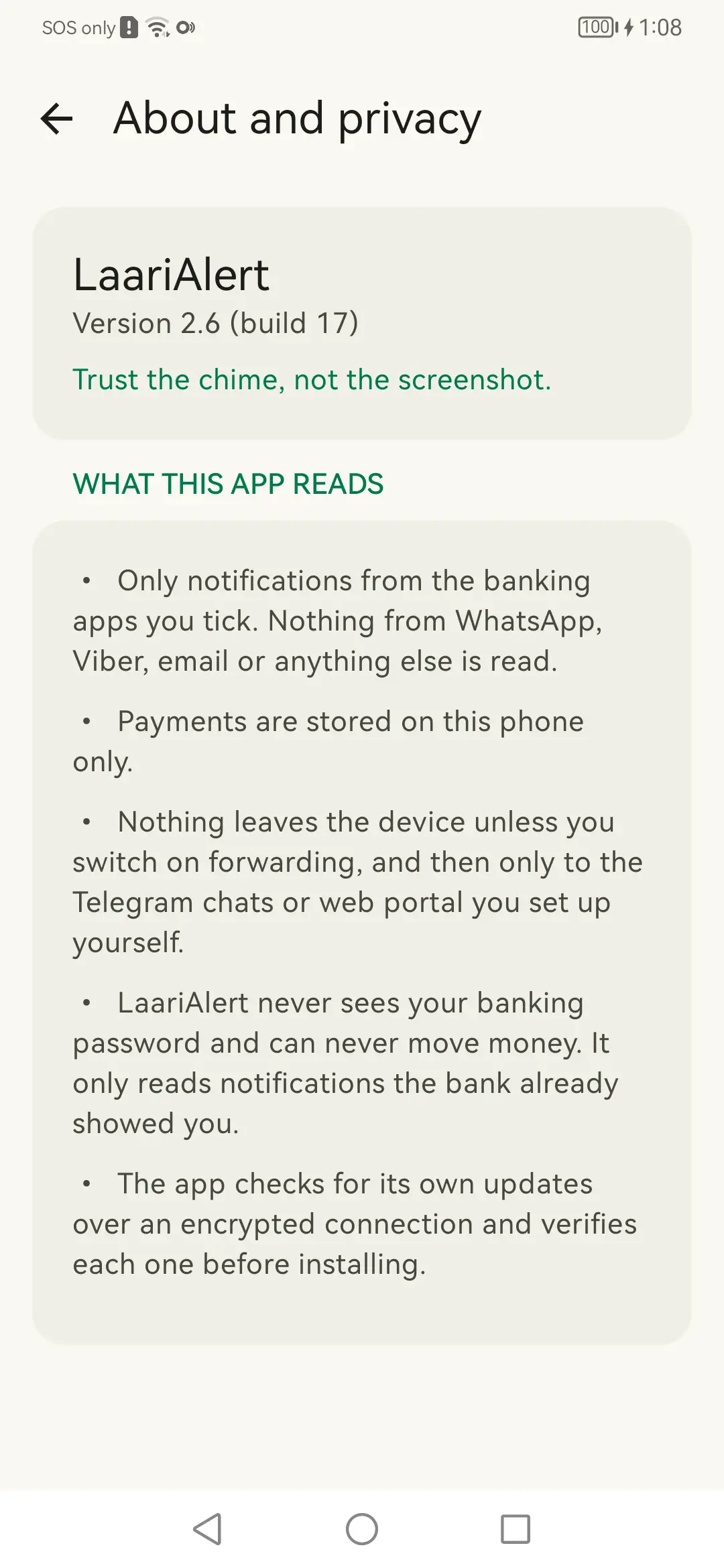
It only reads the apps you tick
Notifications are filtered on the app they came from, before their contents are read. Anything from an app you have not ticked is discarded unread — WhatsApp, Viber, email, social apps, everything.
What it can see
You are about to give an app permission to read what appears on your phone. That is a fair thing to be careful about. Here is precisely what it does with it.
Notifications are filtered on the app they came from, before their contents are read. Anything from an app you have not ticked is discarded unread — WhatsApp, Viber, email, social apps, everything.
Payments are stored on that phone only. There is no LaariAlert server, no account, and no sync. Nothing leaves the device unless you switch on Telegram forwarding, and then only to your own bot and channel.
LaariAlert never sees a banking password and can never move money. It reads notifications the bank has already shown on the screen. That is the entirety of its relationship with your bank.
No analytics, no tracking, no advertising identifier, no third-party SDKs. The app makes no network requests except the ones you switched on and its own update checks.
Worth stating outright
LaariAlert cannot read your text messages. It never asks for the permission that would let it, which means Android would stop it even if it tried.
Some banks send alerts by SMS rather than through their app. For those, you can optionally tick your Messages app so LaariAlert reads the notification that Messages posts on screen — the same thing you would see yourself. It is off by default, and it is not the same as reading your message history.
Permissions
This is the complete list. If a permission is not here, the app does not have it.
| Permission | How it is granted | Why it exists |
|---|---|---|
| Notification access | Special access, granted by you in Android's settings | The whole point: read the bank's notifications. Restricted to the apps you ticked. |
| Internet, network state | Normal | Telegram forwarding and update downloads. Nothing else is sent anywhere. |
| Post notifications | Normal | Show the payment alert and the warnings. |
| Foreground service | Normal | Keep the listener at high priority, so alerts are immediate rather than five minutes late. |
| Ignore battery optimisation | You are asked | Ask to be spared by the battery manager, which is the usual reason apps like this go quiet. |
| Start on boot | Normal | Start listening again after the phone restarts. |
| Install packages | You are asked | Install its own updates. Android still confirms with you every time. |
Updates
The app checks for a new version daily and downloads it in the background over an encrypted connection. Each download is verified against a published fingerprint before it is offered to you, and Android will refuse any build that is not signed with the same certificate as the app already on the phone.
Installing an update always needs a tap from you. The download is automatic; the install is not.
Common questions
No. It reads the notifications your banking app already shows on the phone. It has no password, no account access, and no way to move money.
Android grants notification access as a single permission, so technically the phone hands it everything. LaariAlert filters on the app name before reading anything: only the banking apps you ticked are examined. Nothing from WhatsApp, Viber, email or social apps is read.
On that phone, in the app. There is no LaariAlert server to hold them, and no account to sign in to. App data is also left out of Android's backup — which means a factory reset loses the history for good.
Then each payment is sent to your own Telegram bot and channel, and nowhere else. You choose which fields are included. With it off, nothing about your payments leaves the phone at all.
More on the support page.